

delabs circuits
Electronic Engineering Schematics
Electronic Product Production and Manufacturing
PCB Assembly
From the 60s to 90s Electronic Manufacturing had many manual
operations. Even today and the future small volume production
and custom electronic manufacturing use these methods.
60s and Earlier Electronics had Valve Tubes and then the
transition to semiconductors. Later ICs made things much
smaller. Embedded Systems and SMD technology later shrunk
thinks to pocket size systems.
Visual Inspection for Quality Control
It goes like this .... Technology and Size in
Volume of a Music Player with Radio in Housing or Cabinet.
It was first a Huge Wooden Cabinet that would be kept in the
Living Room with a Valve Radio, Turntable to play LP Records
and a Spool Player which was like a Large Tape Recorder.
The same thing now is a mp3 player and Radio that can be put in your Shirt Pocket and you could move around town too, all day long on a single charge.
How much Footprint and How much Volume the product. example a
Music System takes
Transistor based products - 10 Liters
DIP Chips or IC - 1000 CC or 1 Liter
Microcontroller Systems - 100 CC
SMT ASIC SoC Devices - 10 CC
PCB Assembly
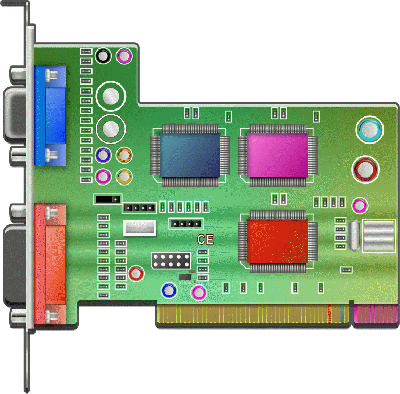
First Inspect PCB for hairline shorts and cuts and also traces of unwanted copper in the edges and repair them. Also Check if all Drill holes & Slots are proper size and PCB is Fitting in its Place properly, This is because Drilling and Filing should not be done after assembly as it causes serious reliability problems.Reliability in Axial and Radial Plastic Capacitors
Second populate all the resistors, Jumpers, Diodes and Ceramic Capacitors these are tough components. Then Insert all Transistors, LEDs, Displays, Electrolytic Capacitors and IC s (Bases), Here care should be taken not to overheat any component as it may damage them. Lastly Solder Connectors, Relays, Coils and Transformers which may require a high wattage Iron, and Mechanical Reinforcements.
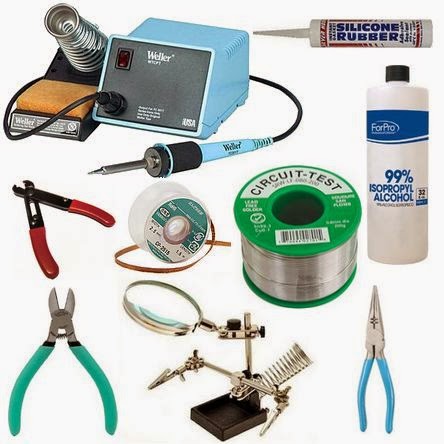
Precautions during Production
- Observe Polarity for Diodes, El-caps, Connectors, etc.
- Make sure of Pin 1 for IC s, Regulators, Transistors and Mosfets before insertion.
- Avoid bases for ICs in production as these fail on use.
- Make use of Electrostatic protection for CMOS devices.
- When Cutting Leads use protective Goggles and do it in a separate place as the cut leads fly all over the place.
- Use Iso Propyl Alcohol (IPA) as de-greasing agent on PCB.
- Water & Detergent wash is very good but only if coils, Transformers, Relays are hermetically sealed- Impregnated.
Lead is a kind of poison, use gloves or wash hands with soap after work is over. Flux, IPA, Thinner Fumes can cause respiratory health problems. Work in a ventilated area use Exhaust Fans and Open Windows. Dispose of Metal, Plastic and Chemical waste separately and well packed as these can contaminate the environment and also cause Injury.
Published online around - Nov 1999
Some Pilot Production And testing points
when building electronic Projects
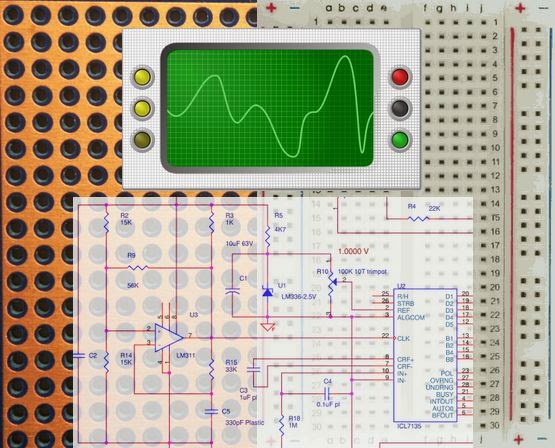
These are also important while prototyping and Bread-boarding.
These are things that i used to keep telling youngsters when
they are new in manufacturing. This was when i was running my
own firm making industrial equipment and instruments.I used to even give this and some other pages around in printed format, it was composed with word on windows 3.11. Then i realized it has to instructed at every incident by example. Reading does not help unless someone is passionate and enthusiastic about learning.
- Use 1% MFR 100 ppm resistors for all analog instrumentation.
- Use plastic or-and multilayer capacitors as ceramics are leaky.
- Product should have minimum number of fasteners.
- Nuts, Bolts and screws locked with adhesive so that they do not slip and the product falls apart.
- Potentiometers should move smoothly and not get twisted, strained or locked due to cabinets.
- Use Strain relief for wires and strip the wire and solder properly where required.
- Strip with a stripper do not use your teeth., Twist all the strands Tin the tip of the wire.
- After Tweaking and setting presets or trimpot lock it with paint or varnish.
- Big Components should have large pads and separate mechanical fixing to PCB.
- Acrylic and plastic can get blurred or deformed with some solvents.
Do assembly of the card with a tested assembled 3D reference. Even after all the care if the card does not work, then after full assembly do visual inspection in this order First keep both the cards one reference and the other manufactured under a bright light.
- Compare resistor color patterns one by one.
- Compare Electrolytic capacitors physical appearance and POLARITY.
- Verify values of plastic and ceramic capacitors.
- Cross-check Diode sizes and POLARITY. Verify Zener values.
- Check IC and Regulator POLARITY and Exact type number / brand
- Check Transistor, MOSFET, LED, POLARITY. and verify display type No. and Polarity .
- Check for connector patterns and polarity and switches etc.
- Reverse the card and Check for solder bridges between close pins .
- Reverse card and Check for hairline shorts and solder streaks due to bad PCB processing or Soldering.
- Reverse card and check for hairline cuts or pads lifted off card.
- Closely observe for dry solders on big electrical parts
- L and TX a dry solder will cover the pin and will be dull in shine.
- before calibration allow for product to warm up for 15 mts.
Danger ! when DMM is in Ohms Mode, Even if one probe touches 230 V, DMM is Gone, so take extra care while doing this. test probe.
First written and printed offline in the Nineties. Word on Windows 3.11 with Epson 24 Pin Dot Matrix Printer., updated 2014.
Electronic Tables and Charts
How to Test Verify the Testing Methods Itself
Testing and Evaluation tools must have dynamic decoys added into the device under test DUT or the batch under test. In a Conveyor system, identifiable (RFID) decoys must be artificially introduced every 100 pieces. This will constantly counter check the Testing system and in not a One time operation. The decoys should be defective or have a fault, a little above threshold. This is caught by the testing system. Even when the testing system ages or goes out of calibration, this method can raise a alarm.
Even in software and text/data processing; this method ensures database quality and software program integrity.
Work Culture and Discipline
Systematic and Meticulous work has its own Rewards. An Engineers Notebook or a Hobby Experiments Log Book can go a long way in making a Cauliflower out of every Cabbage. (The credits of the Vegetable Analogy goes to Mark Twain)
Keep Work Place Clean
Clean Tables and shelves every day before closing office, Put Cut leads and Solder shots in a separate cup to be accumulated and disposed later as these are toxic. In this cup other irritants like staple pins can be added and these can be clubbed in a month and disposed off as one metallic bulk for recycling. Never bring coffee or food to work area, Keep a waste paper basket on your side.
Work carefully to avoid injury
When cutting leads hold the lead in the hand and cut or it will fly all over the place. A piece like that may land on another equipment and cause shorts or it may go right into your eyes and cause blindness. Lead and Isopropyl alcohol and other Chemicals may be dangerous for health if handled carelessly. Do not use fingers, and teeth as tools it is bound to cause a injury to repent a lifetime. Be extra careful with 230V AC and more so with 440V 1 tr 2mA thru your heart and a weak streak of luck may be the last experience you ever had. Do not press your Luck too hard.
If you are cutting something let it not leave marks on table, even adhesive stains should not deface table, use a asbestos, hylam fiberglass, hardboard surface which can be disposed once in a way. Before working put two layers of news paper on the table this prevents table from getting spoilt while soldering and newspapers being hygroscopic (water absorbent) they provide a natural antistatic surface to protect CMOS Ics and are nonconductors for any Live PCB kept on the paper.
Use tools and equipment's in a gentle manner
When you use weller Iron use it as a heat transfer tool never use it for prying or crimping leads or just pressing use pliers or other tools for that.
Document what you do and vice versa
Have a register in which you can make records of what you did to solve a problem or what you learnt while making an equipment this information is valuable for the company to develop production methods and also useful to your team to solve a similar problem. Share abilities and skills with fellow employees but don't share your company's technology and database with any other company. When you leave a company use only the abilities and skills in that broad area to evolve as a professional. - Engineers Notebook.
Hobby and Do it Yourself

It is by Hobby and DIY - Do it Yourself, Education Starts even without books. Then you need to read to enhance your abilities to Design your own.
In order to compensate or enhance your education, you need to work at a small shop as an apprentice even as a student, not for the sake of project work alone. An Evening job at a factory or a home mini workshop-lab is very essential for obtaining the skills.
Published online around - Nov 1999
Solderman Talks - 1707 AD
Back to Basics and Instrumentation
...
...
...
...
...
delabs Technologies
30th Aug 2020
...
The documents, software, tools and links are provided to enhance the ability of an electronics student, hobbyist or professional by sharing information. The information, links etc. should be used by the website visitor, at his or her own risk and responsibility. There may be concept, design and link errors in the pages.
Creative Work, ideas and documents of delabs can be used for Product Design and Development by R&D Engineers, Hobbyists, Students and even firms for creating useful products. These cannot be used for reprint, replication or publishing online or offline.